SSO ID APK Download for Android v3.3
Crazy Apps Lab · Updated 2026-02-14
SSO ID APK 3.3 is a Productivity app for Android by Crazy Apps Lab that requires Android 7.0+ and has a file size of 33.5MB.
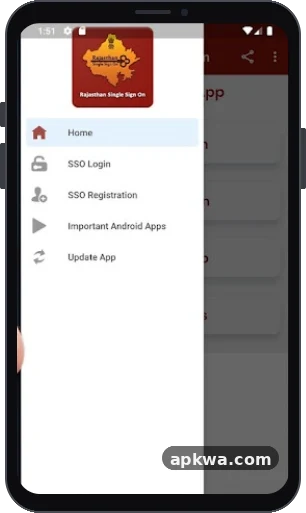
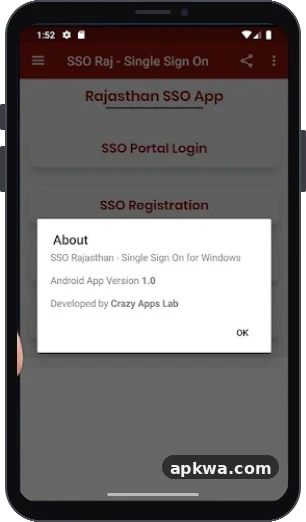
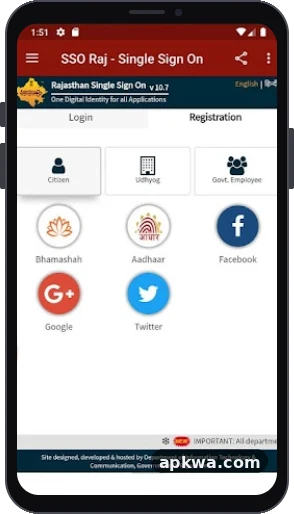
Download SSO ID APK Screenshots
About SSO ID APK
Navigating government services in Rajasthan has become significantly easier over the years thanks to the Single Sign-On (SSO) initiative. Whether you are a resident applying for state jobs, a business owner managing industrial utilities, or a government employee handling official files, having a digital identity is essential. For mobile users looking for on-the-go access, searching for the SSO ID APK is a common path to manage services directly from an Android device.
This comprehensive guide explores what the Rajasthan SSO platform offers, how mobile applications function, registration processes, and how you can securely interact with over 100 integrated government departments.
What is a Rajasthan SSO ID?
The Single Sign-On (SSO) system introduced by the Government of Rajasthan acts as a unified digital gateway. Instead of creating multiple user names and passwords for different departmental websites, citizens and officials use a single digital identity (SSO ID).
Think of it as a master key to digital governance in the state. Once authenticated, users can seamlessly transition across various portals—such as recruitment boards, health schemes, and utility bill payments—without logging in repeatedly.
The Role of the SSO ID APK for Mobile Users
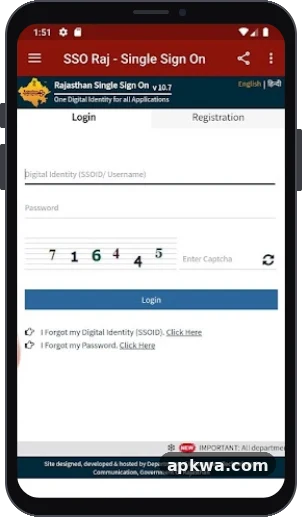
While the official portal (sso.rajasthan.gov.in) is web-based, many users prefer the convenience of smartphones. When people search for terms like SSO ID APK, they are typically looking for Android application packages or mobile tools that streamline access to the Single Sign-On dashboard.
Key Features Found in Mobile Solutions
- Unified Dashboard: Access to over 100 state government portals from a single interface.
- Recruitment Portals: Direct tracking and application submissions for state job openings and competitive examinations managed by bodies like RSMSSB.
- Healthcare Integration: Quick access to the Rajasthan Government Health Scheme (RGHS) and related medical welfare programs.
- Document Management: Integration with digital lockers and certificate repositories for verification.
- Application Status Tracking: Real-time monitoring of previously submitted forms, grievances, and service requests.
Core Categories of Users on the Platform
The Rajasthan SSO framework accommodates three distinct user categories, ensuring that services are customized according to individual requirements:
- Citizens (Jan Aadhaar / Google-based): Designed for everyday residents of Rajasthan or individuals interacting with state services, allowing them to access public welfare schemes, scholarship applications, and recruitment portals.
- Udyog (Businesses): Built specifically for business entities and industrialists registered via Udyog Aadhaar or Sanstha Aadhaar to handle commercial compliance and licensing.
- Government Employees (SIPF-based): Tailored for state personnel using their SIPF credentials to manage service books, payroll information, and internal departmental files.
How to Register for a New SSO ID
If you do not have an active digital identity, setting one up is straightforward. You can complete the process either via the official web portal or compatible mobile interfaces:
- For Residents: You can register using your Jan Aadhaar Card number (exclusive to Rajasthan residents) or link your Google Account. Selecting Jan Aadhaar requires entering family details and verifying via an OTP sent to your registered mobile number.
- For Non-Residents / General Users: If you are outside Rajasthan, you can set up an account using your valid email address through Google integration.
- For State Employees: Employees must log in using their official SIPF username and password parameters to generate an authenticated employee profile.
During registration, you will choose a unique username (your SSO ID) and establish a secure password coupled with recovery options like a verified mobile number or email.
Essential Services Accessible via Your SSO Dashboard
Once you complete your login—whether through a browser or an optimized mobile application—a vast ecosystem of public utilities opens up. Some of the most frequently accessed departments include:
- Recruitment Portal: Essential for job seekers looking to apply for provincial vacancies, view exam calendars, and download admit cards.
- E-Mitra: Facilitates digital payment of utility bills, submission of certificate requests (domicile, caste, income), and government fee transactions.
- Rajasthan Sampark: A dedicated grievance redressal mechanism allowing citizens to log complaints regarding public infrastructure and civic issues.
- Scholarship Portal: Streamlines applications and disbursement tracking for student financial aid programs.
- Employment Exchange: Helps job seekers register their profiles for skill development and employment tracking.
Best Practices for Account Security and Management
Because your SSO account holds personal data, application histories, and links to vital identification documents, maintaining strict security is paramount:
- Keep Passwords Secure: Never share your password or OTP with unauthorized individuals.
- Update Recovery Information: Ensure that your active mobile number and email address remain current within your profile settings to avoid lockouts during password recoveries.
- Official Sources: When downloading application packages or accessing login screens, always verify that you are interacting with authentic government domains or trusted distribution channels to protect your credentials from phishing risks.
SSO ID APK Pros and Cons
Pros
- Access to more than 100 government portals.
- Allows citizens to validate application status
Cons
- Requires internet access.
SSO ID APK APK information
- Developer
- Crazy Apps Lab
- Category
- Productivity
- Version
- 3.3
- File size
- 33.5MB
- Android requirement
- 7.0+
- Content rating
- Everyone
- Package name
- com.sso.raj or similar
- Download source
- play.google.com (official link, no file hosted by APKWA)
Questions about SSO ID APK
What is the latest version of SSO ID APK?
The latest version of SSO ID APK listed on APKWA is 3.3, updated on 2026-02-14.
How big is the SSO ID APK download?
Version 3.3 of SSO ID APK has a file size of 33.5MB.
Which Android version does SSO ID APK need?
SSO ID APK requires Android 7.0+ or higher.
Who is the developer of SSO ID APK?
SSO ID APK is developed by Crazy Apps Lab.
Where can I download SSO ID APK safely?
The Download button opens the official source (play.google.com). APKWA does not host APK files.